
One workspace for LinkedIn outreach
From the first lead to the answered reply, in one place. Pick a feature to see how it works and where its limits are.
One workspace
From first lead to answered reply
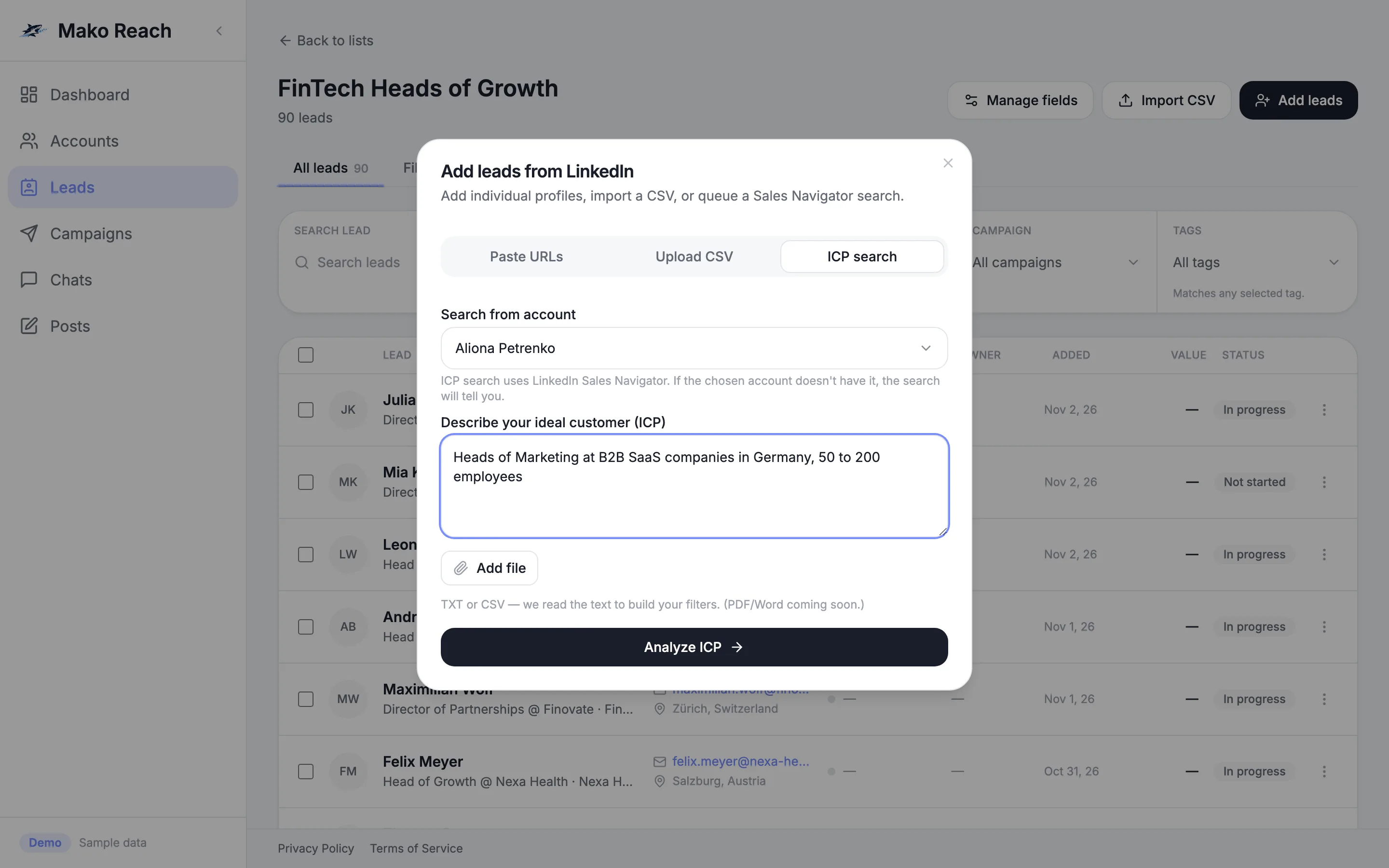
- Find leadsDescribe your ideal customer or import a list.
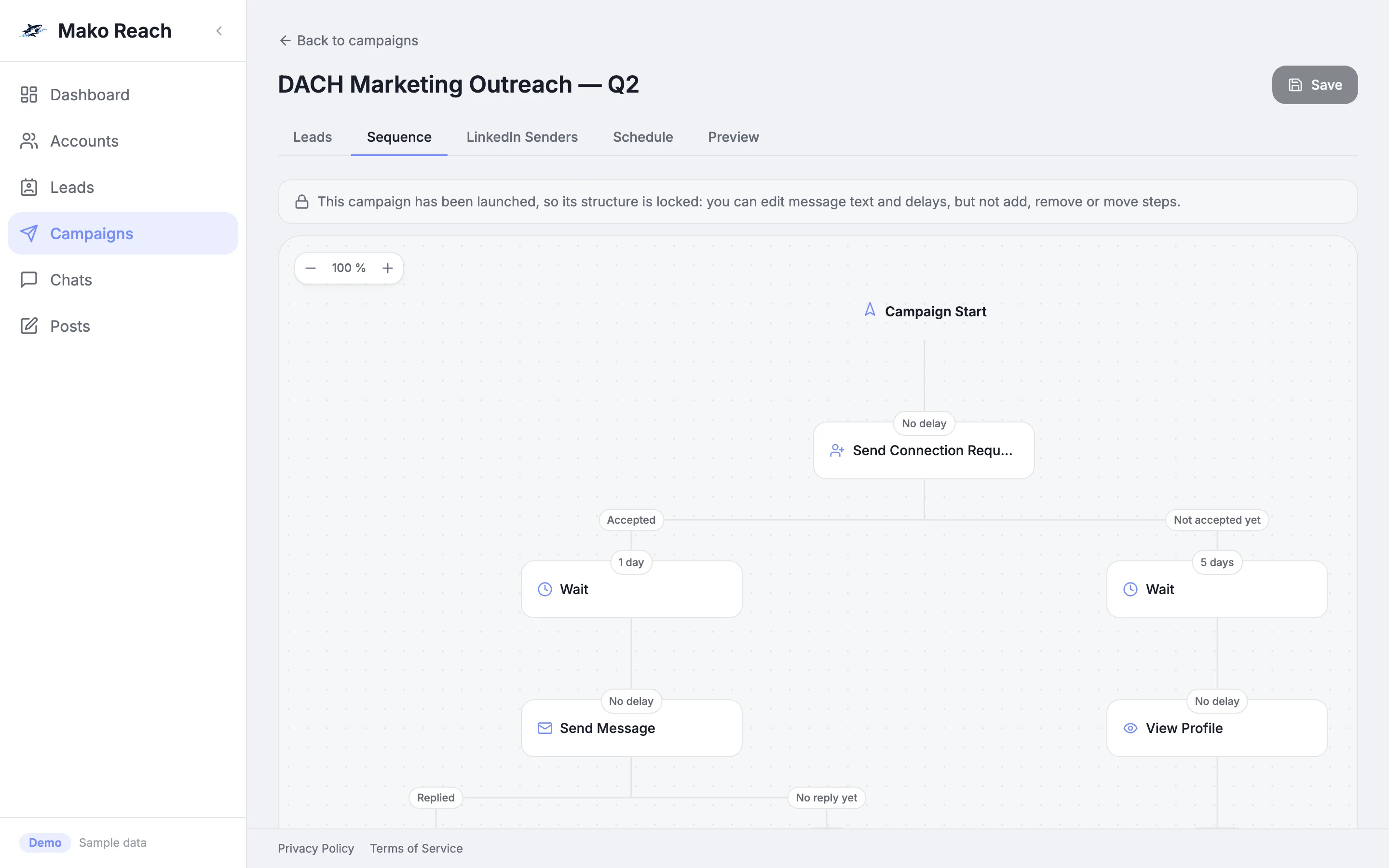
- Reach outRun branching sequences across your LinkedIn accounts.
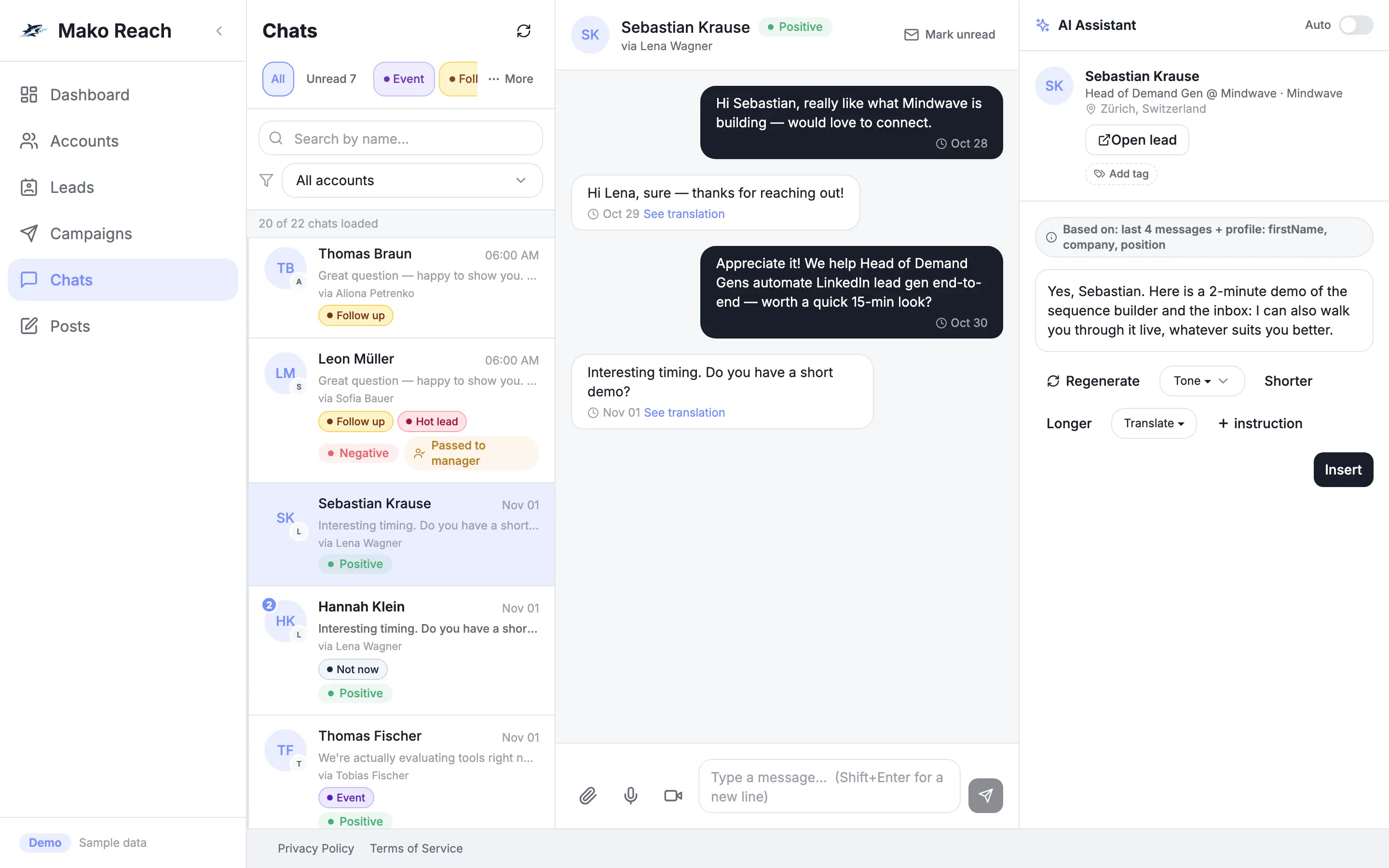
- ReplyAnswer in one inbox, with an AI agent to help.
- PostPlan LinkedIn posts next to your outreach.
Try 7 things in the live demo
Sample data, nothing is sent, no sign-up. Each link opens the demo on that task.
- Read the dashboardSee live counts across all your LinkedIn accounts.Open in the demo
- Open a campaign and add a stepEdit a sequence and add a message.Open in the demo
- Find leads from an ICP descriptionDescribe your ideal customer and let the AI search.Open in the demo
- Let the AI draft a replyGenerate a draft in a conversation and send it.Open in the demo
- Switch a chat to AUTOLet the agent reply on its own, with a safety delay.Open in the demo
- Set safe daily limitsCap invites and messages per account.Open in the demo
- Schedule a LinkedIn postWrite a post and pick when it goes out.Open in the demo