
An AI agent that answers your replies and asks you when unsure
Turn it on per chat or for the whole workspace. It writes in your tone, in the language the lead used, and stops to ask when it lacks a fact.
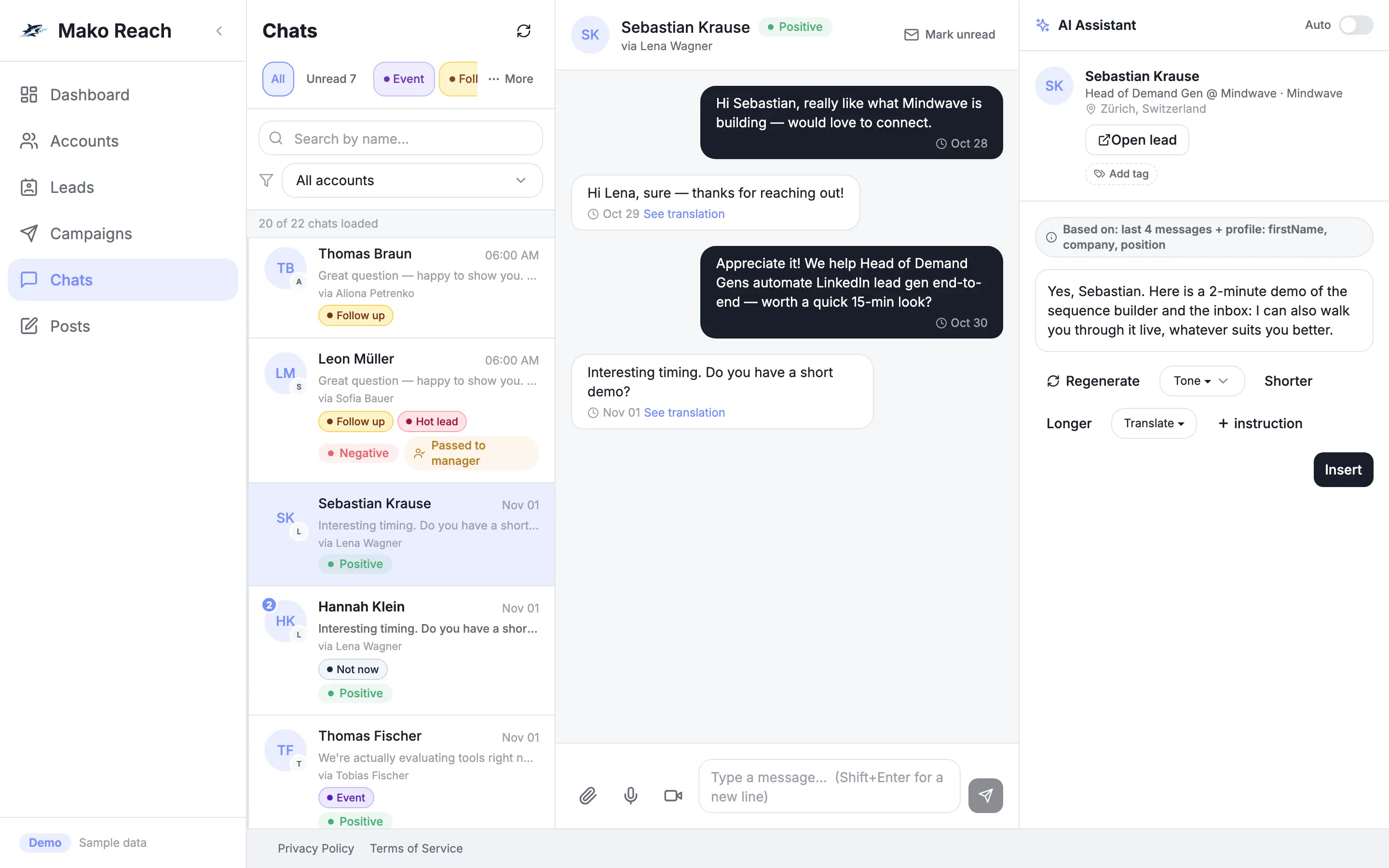
Replies wait while you are busy
Leads write back at any hour and in any language. Every hour a reply sits unanswered, the conversation cools. Answering all of them by hand does not scale across several LinkedIn accounts.
An agent with a human safety net
The agent drafts or sends replies for you, checks its own confidence before it sends and brings a person in when it is not sure. You decide, chat by chat, how much it may do on its own.
How it works
Switch it on
Set AUTO or MANUAL for each chat, or use the workspace-wide switch. In MANUAL the agent only drafts and you press send.
It drafts in your voice
The agent reads the conversation and writes in your tone, in the language the lead used. In AUTO it runs a confidence check before anything goes out.
It asks when it lacks a fact
If it does not know something, it asks you on Telegram. Your answer goes into the reply and is saved as knowledge for next time.
You stay in control
Replies in AUTO wait briefly as pending replies: cancel, edit or send now. When a chat needs a person, the agent hands it over and alerts you.
What it does
AUTO or MANUAL per chat
Choose the mode for every conversation. A workspace-wide switch turns the agent on or off for everyone at once.
Confidence check
Before an automatic send, the agent checks how sure it is. When it is not sure, it does not send on its own.
Your tone, the lead's language
Replies follow your tone. By default the agent answers in the language the lead wrote in, and a workspace can fix one reply language instead.
Telegram questions, saved knowledge
When it lacks a fact, the agent asks you on Telegram and keeps your answer as knowledge it can reuse.
Handoff with an alert
When a chat needs a person, the agent hands it to a human and sends you an alert.
Hours and a daily cap
Set a schedule window with a time zone and a daily cap on automatic replies, so they go out only when you want.
Let the AI draft a reply
- Open a conversation and click Generate draft: the agent writes a reply in your tone and the lead's language.
- Flip Auto on a chat and watch the reply appear under Pending AI replies.
- Cancel it, or press Send now.
Sample data, nothing is sent, no sign-up. The demo screens are in English.
Questions
Does the agent send messages without my approval?
Only in AUTO mode, which you switch on per chat or for the whole workspace. In AUTO, replies first appear as pending replies that you can cancel, edit or send now, and the agent checks its confidence before sending. In MANUAL it only drafts.
What happens when the agent does not know the answer?
It asks you on Telegram. Your answer is used in the reply and saved as knowledge. When a chat needs a person, the agent hands it over and alerts you.
Which language does it reply in?
By default in the language the lead used. A workspace can set one fixed reply language instead.
Do I need my own AI key?
Yes. The agent runs on your own AI key, OpenAI or Anthropic, which a workspace admin adds in the settings. Without a key the agent does not run.