
Every sender. One inbox.
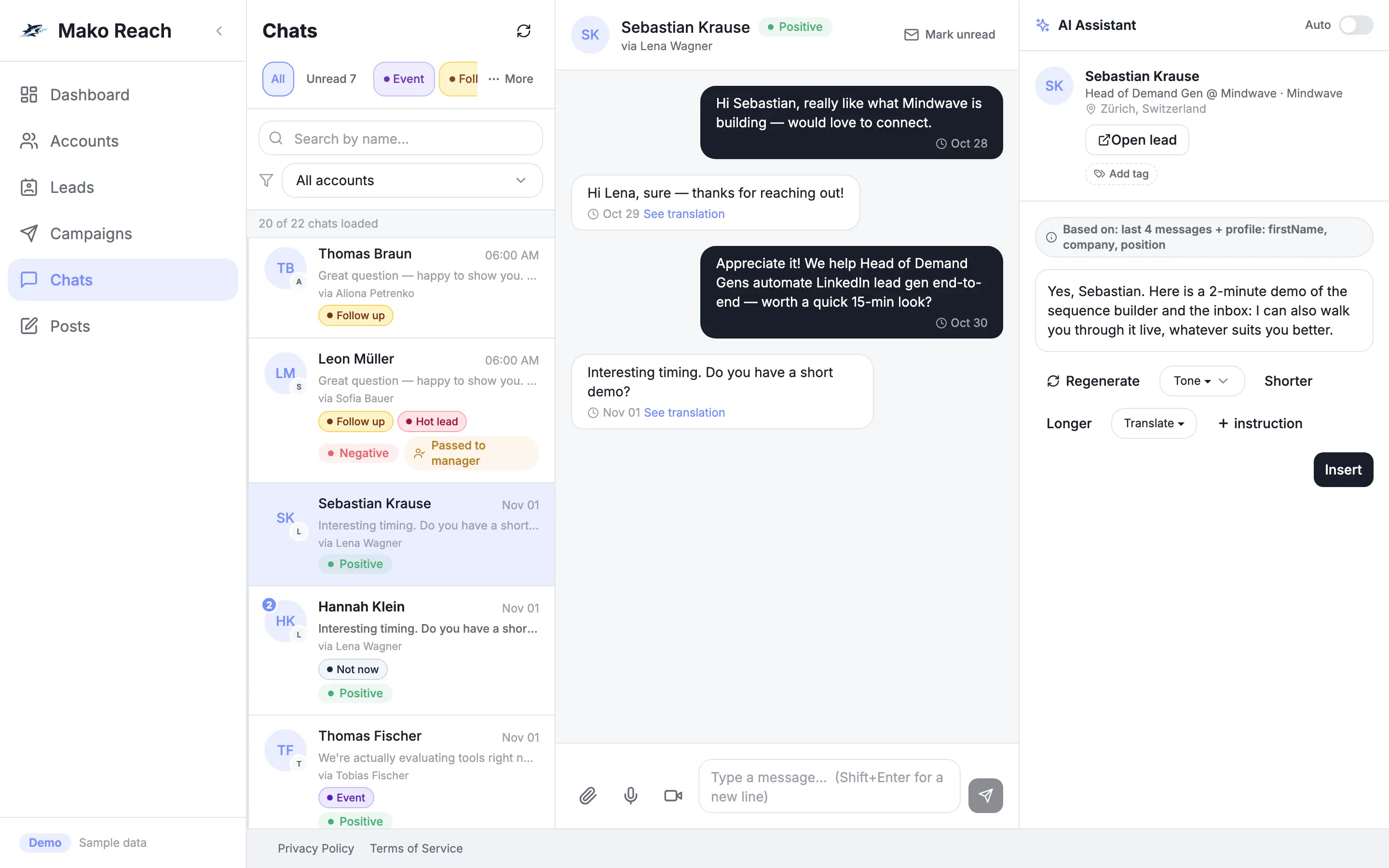
Replies from all your connected LinkedIn accounts land in one Chats screen. Filter by account, tag or unread, and answer without switching profiles.
Replies are scattered across profiles
With several LinkedIn accounts, replies sit in several inboxes. Someone has to log in to each one, remember who wrote to whom and spot the good replies by hand.
One place for every conversation
All accounts feed one inbox. You see who replied, which account they wrote to and how they feel about your message, then answer from the same screen.
How it works
Connect your accounts
Every LinkedIn account you connect brings its conversations into the same Chats list.
Sort and find
Filter by account, by unread, or by shared tag and folder. Sentiment tags mark positive and negative replies.
Know who is writing
A profile panel next to the chat shows the person's photo, headline, company, location and tags. Jump from the conversation to the exact lead.
Reply your way
Answer yourself with text, attachments, reactions or a voice message, or let the AI reply agent draft the answer.
What it does
All accounts, one list
Conversations from every connected sender, with an account filter and an unread filter.
Shared tags and folders
Tag a person once and filter by that tag in Chats and in Leads. Folders group tagged conversations.
Sentiment at a glance
Replies are tagged positive or negative, so you can start with the ones that matter.
From chat to lead
Open the exact lead behind a conversation in one click.
Reactions, voice and attachments
React to messages, send a voice message and attach files from the message box.
Near-real-time updates
The conversation list refreshes about every 12 to 15 seconds and an open chat about every 15 seconds, and incoming messages are also picked up as they arrive.
Let the AI draft a reply
- Open Chats and pick a conversation.
- Click Generate draft to get a reply in your tone.
- Edit it and send.
Sample data, nothing is sent, no sign-up. The demo screens are in English.
Questions
Which conversations show up?
The LinkedIn conversations of every account connected to your workspace, in one list.
Does the inbox update by itself?
Yes. The list refreshes about every 12 to 15 seconds and an open chat about every 15 seconds. It is near-real-time, not a live push connection.
Can I tell positive replies from negative ones?
Yes. Replies carry a sentiment tag, and the dashboard counts positive and negative replies.
Can I reply with a voice message or a file?
Yes. The message box supports attachments and voice messages, and you can react to messages.