
Try Mako Reach on sample data
This is the real product interface, filled with sample leads, campaigns and chats. Click around for a few minutes. Nothing is sent to LinkedIn and you do not need to sign up.
Opens in a new tab
See it step by step
Screens from the demo for each of the seven tasks, with a short description of what each one shows.
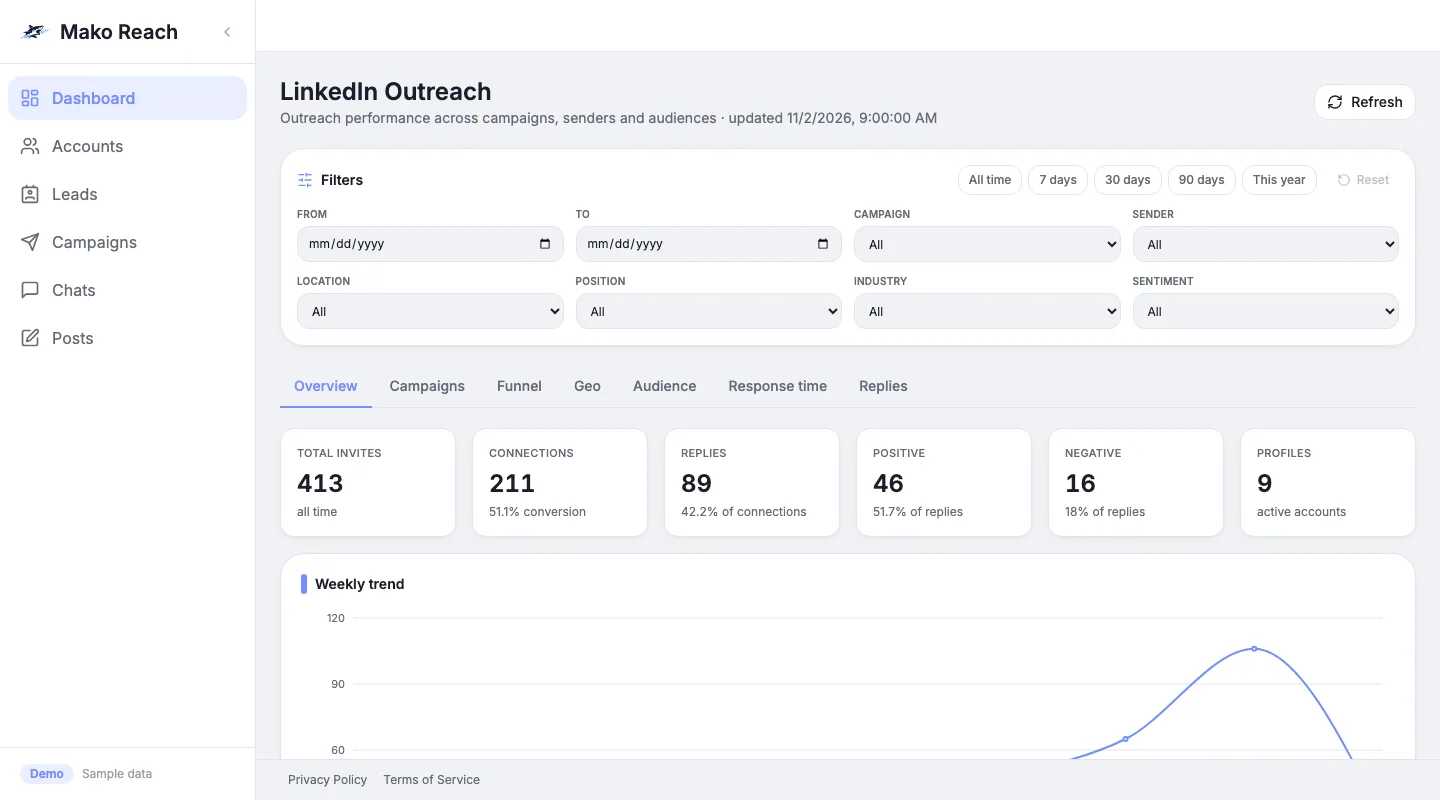
The dashboard opens on six totals across all connected accounts: invitations sent, connections, replies, positive and negative replies, and active profiles. 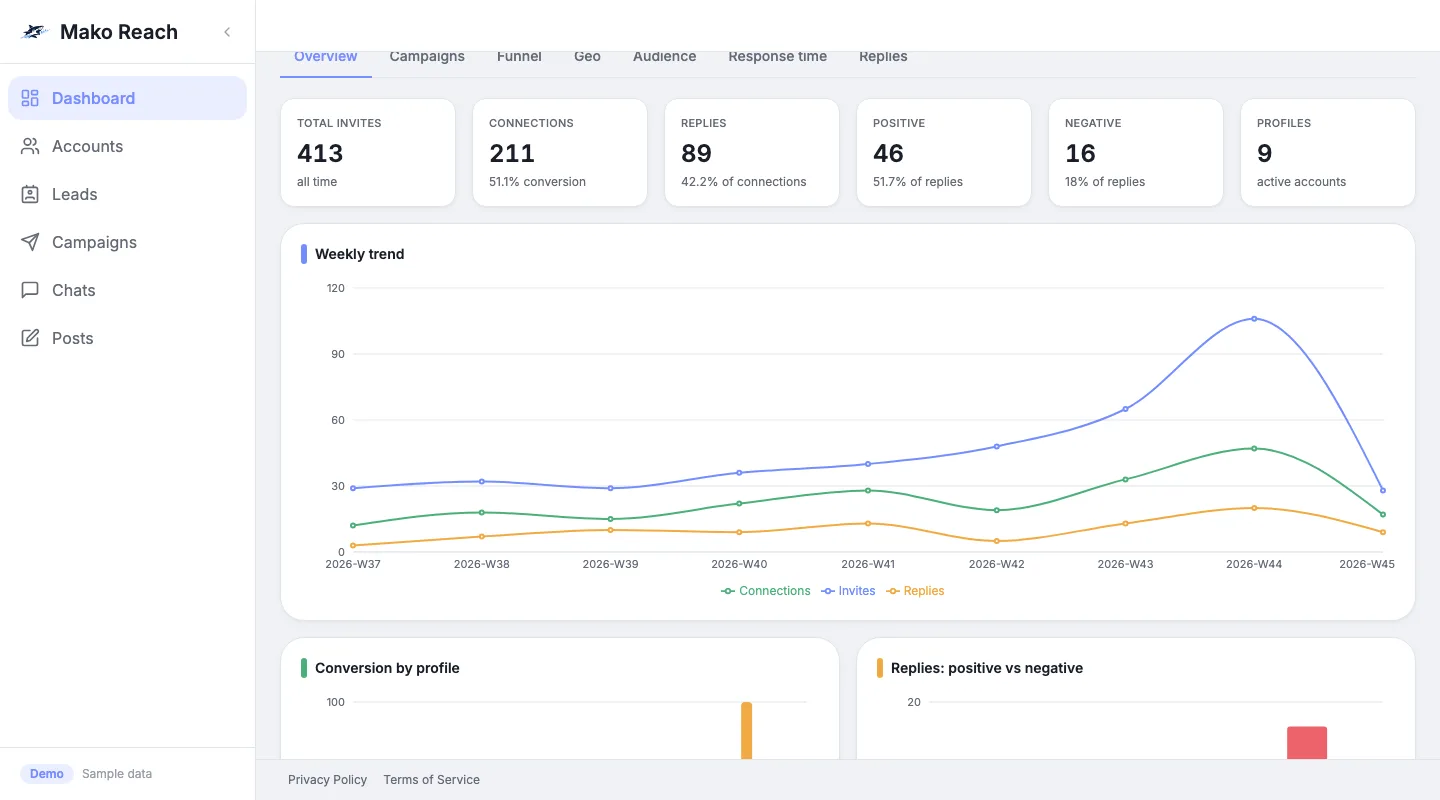
Below the totals, the weekly trend charts invitations, connections and replies week by week, with breakdowns by profile and by sentiment underneath. 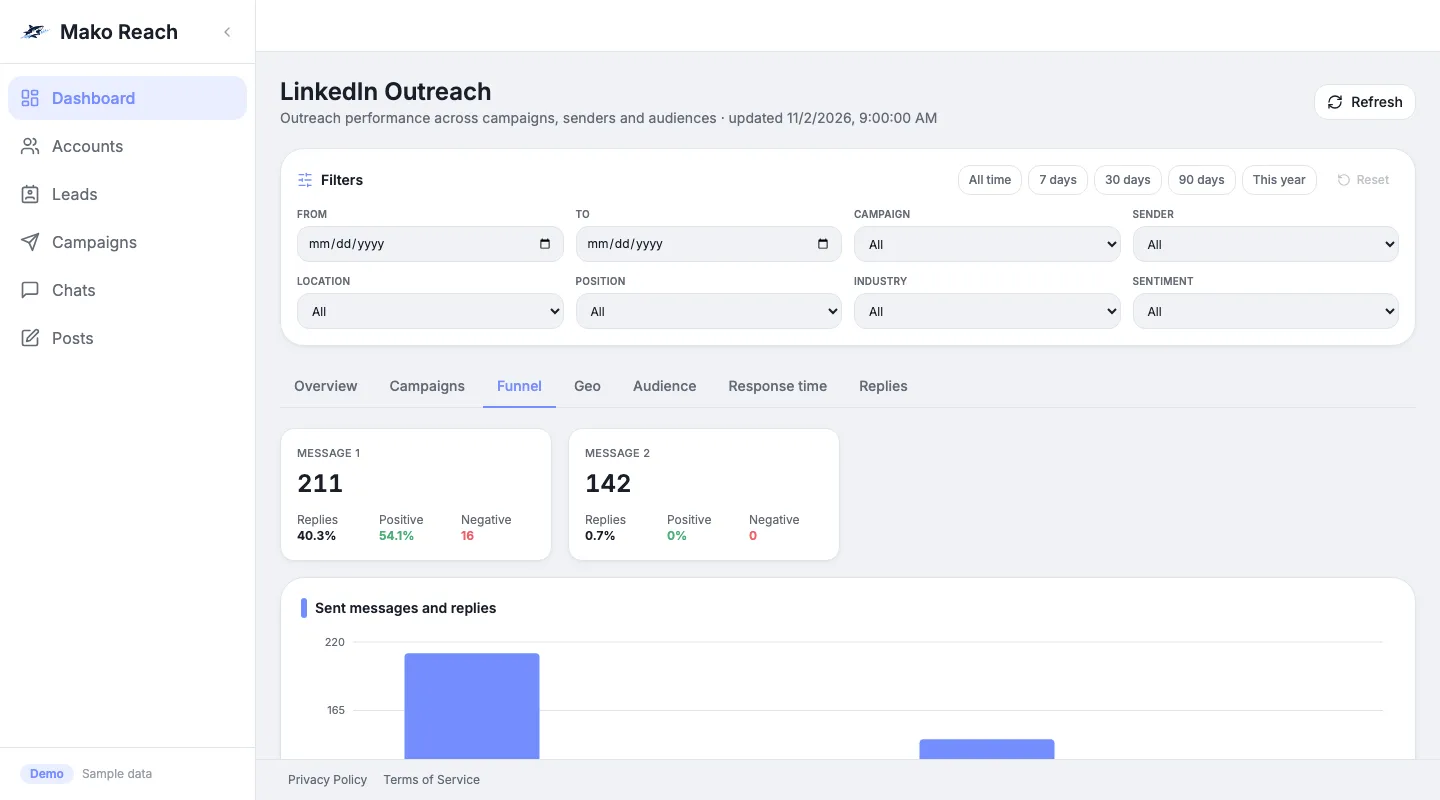
The Funnel tab shows how many messages went out at each step and how many replies, positive and negative, each one received.
Screen 1 of 3
Seven tasks to try
Each card opens the demo on that task, with a short on-screen guide. Pick one or do all seven.
- Read the dashboardSee the counts across all your LinkedIn accounts.Open this task in the demo
- Open a campaign and add a stepEdit a sequence and add a message.Open this task in the demo
- Find leads from an ICP descriptionDescribe your ideal customer and let the AI search.Open this task in the demo
- Let the AI draft a replyGenerate a draft in a conversation and send it.Open this task in the demo
- Switch a chat to AUTOLet the agent reply on its own, with a safety delay.Open this task in the demo
- Set safe daily limitsCap invitations and messages per account.Open this task in the demo
- Schedule a LinkedIn postWrite a post and pick when it goes out.Open this task in the demo
What the demo is, and what it is not
What it is
- The real Mako Reach interface, running on sample data.
- Nothing is sent to LinkedIn, and no real account is connected.
- No sign-up and no payment details.
- A guide with seven tasks, and a Reset button that puts the sample data back.
What it is not
- Not your own account: you cannot connect LinkedIn here.
- Settings and billing are hidden.
- The product interface stays in English. Only the guide follows your language.
- Not saved for later: your changes stay in your browser, and Reset clears them.
Questions about the demo
Do I need an account?
No. There is no sign-up and no email to give. Click the button and the demo opens in a new tab.
Does anything get sent to LinkedIn?
No. The demo runs on sample data in your browser. No message, invitation or post leaves it.
Why is the interface in English?
The demo shows the real product, whose interface is in English. The guide hints follow the language of this page.
Can I try it with my own LinkedIn account?
Not in the demo. To work with your own accounts, request access.
Ready to use it on your own accounts?
The demo shows the product. Request access to connect your LinkedIn accounts.